


The best things I build with AI start without it.
I know, that sounds like a contradiction, especially coming from someone who builds AI tools for a living. But I keep finding that the quality of what I make with AI depends on the quality of the thinking I do before I touch it.
The hard part is never the building. The hard part is knowing what to build and why. And that part, I’ve learned, goes better without assistance.
Why this is true
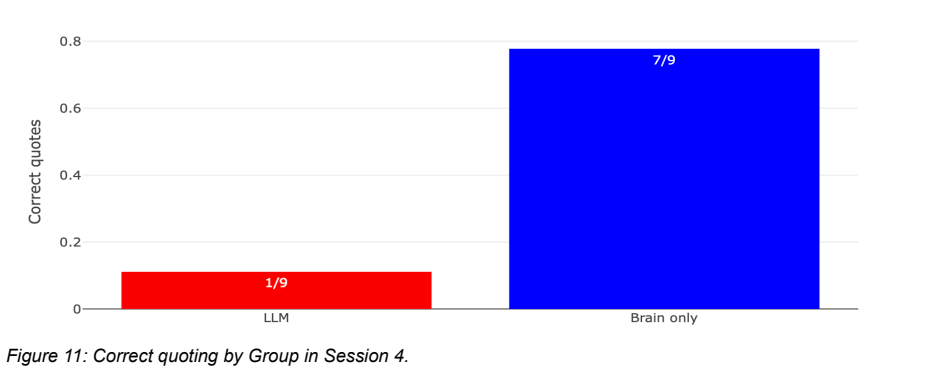
There’s a recent study from MIT where researchers put EEG caps on 54 people and had them write essays in three groups: brain-only, with a search engine, and with an LLM.
The brain-only group showed the strongest neural connectivity. Widest networks, most engagement, highest memory recall. They could quote from their own essays afterward. They reported the highest satisfaction and the strongest sense of ownership over what they wrote.
The LLM group scored fine on quality. Both AI and human judges gave decent marks. But the writers themselves couldn’t recall essays they’d written minutes earlier (see Figure 11). The thinking was less deep and diverse. The perceived ownership was low. When the researchers swapped groups in a later session, people who went from LLM-assisted to brain-only showed their neural connectivity jump back up. Unassisted thinking re-engaged their brains.
The takeaway isn’t “don’t use AI.”
It’s that thinking and executing are different cognitive modes, and AI helps with one while quietly undermining the other. My note in the margin when I read this: “It’s about engagement. Not disengagement.”
How I practice this
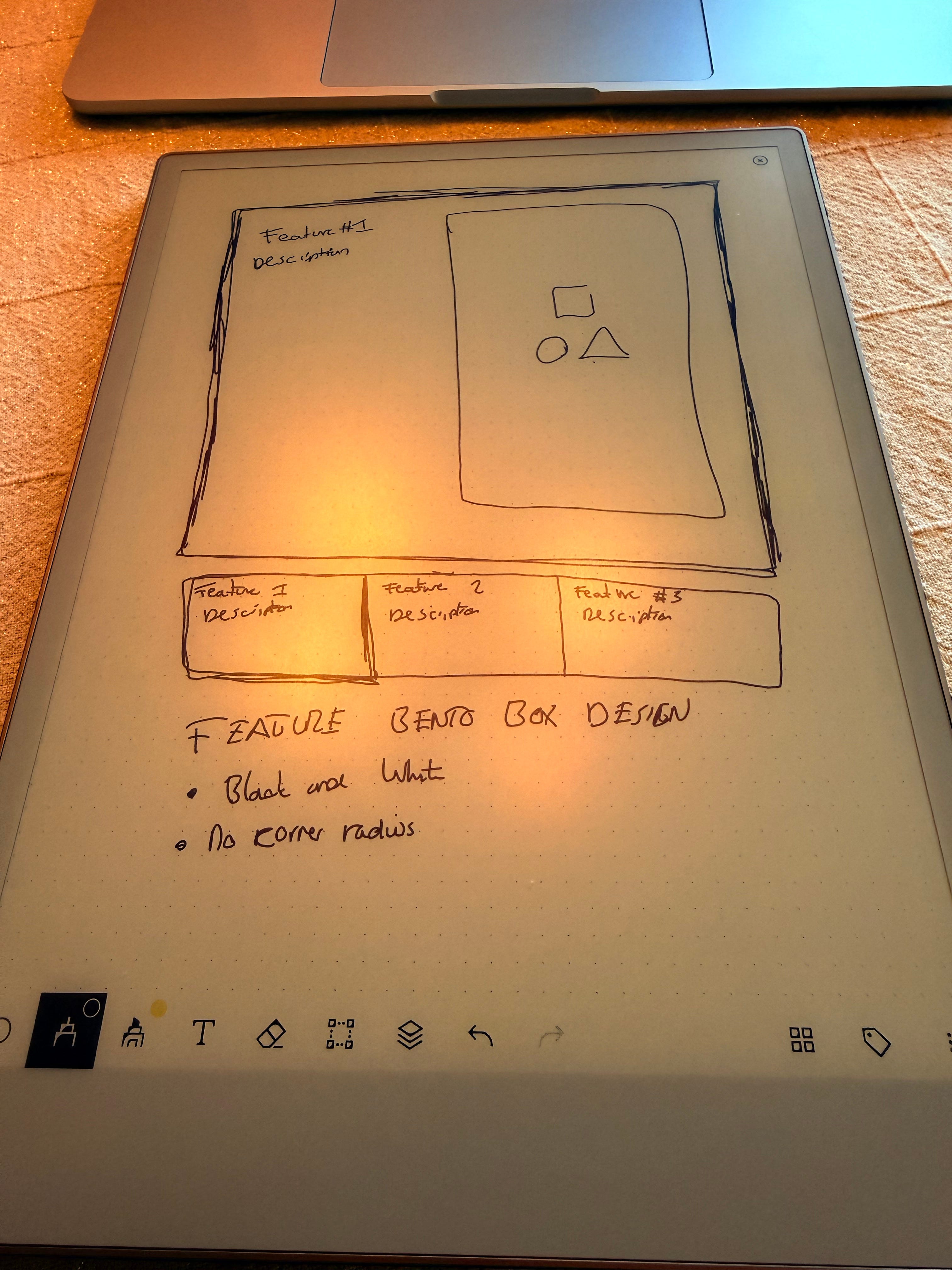
I do most of my serious thinking on a reMarkable tablet. No notifications, no browser tabs, no Slack. Just a stylus and a screen that looks like paper. When I’m working through a hard problem, whether it’s strategy for Prototyper or architecture decisions or just figuring out what I actually believe about a topic, I write it by hand. It forces me to slow down. I can’t copy-paste my way through a thought.
That’s the “think without AI” part. And it works.
The problem was the gap between thinking and building.
My notes would be stuck on the tablet. Disconnected from everything else (Claude Code, Prototyper, Codex). I’d have ten pages of handwritten strategy or design files and no way to say “Claude, read what I wrote last Tuesday and help me turn it into a plan.” Sometimes I’d take photos of pages and paste them into Claude, which worked but felt ridiculous.
The thinking was good. The bridge to action was missing. So I built one.
What I built (and how)
I built an MCP server that connects Claude directly to my reMarkable library. It took about a weekend. The build itself is a good example of what “build with AI” looks like in practice, including the parts that are annoying and tedious.
Saturday evening, 8pm: first working version in about an hour. Cloud API client, notebook and PDF extraction, full-text search in SQLite, multi-layer caching, page rendering. It could pull any document from my reMarkable cloud and render pages as images Claude could see.
The first version had three OCR backends: Tesseract, Google Cloud Vision, and MCP sampling. I stripped out two within the hour. MCP sampling means Claude reads your handwriting using its own vision. No API keys, no external services, no setup. Removing complexity made everything better.
I tried to stick with that through the project.
Come Sunday morning I realized the tool interface was wrong. It worked, but it was designed for a human browsing an API, not for an AI navigating a library. Claude kept hitting pagination walls and had no way to tell handwritten notebooks from typed PDFs.
So I rebuilt the interface from Claude’s perspective. This is the “build with AI” principle applied to design: if the AI is your user, design for how it works. For example, I implemented a multi-page read so it doesn’t request pages one at a time. I built a grep tool that searches within a document and jumps to the matching page. Auto-OCR that detects handwriting without being asked.
Sunday evening: the setup problem. This was actually quite tricky.
A great MCP server that nobody can install is useless. reMarkable’s auth requires a tricky one-time code from their website. The MCP config is a JSON file in a specific location. The dependencies include a C library for converting SVGs to PNGs that most people don’t have.
They are tiny things, but they all add up to built enough friction so that it becomes hard for non-technical people to set this up.
So I decided to try building a one-line installer:
curl -fsSL https://thijsverreck.com/setup.sh | sh
This was quite new for me. The trickiest thing that I found is making sure that it doesn’t just work on your own system. But I ended up with a neat results.
Monday: the last mile. Claude Desktop has a tiny quirk which is a limited PATH and couldn’t find uvx, so the setup script resolves the full binary path at install time. The config writer merges into existing config instead of overwriting it, because blowing away someone’s other MCP servers would be hostile.
I ended up with a result that I was quite happy with.
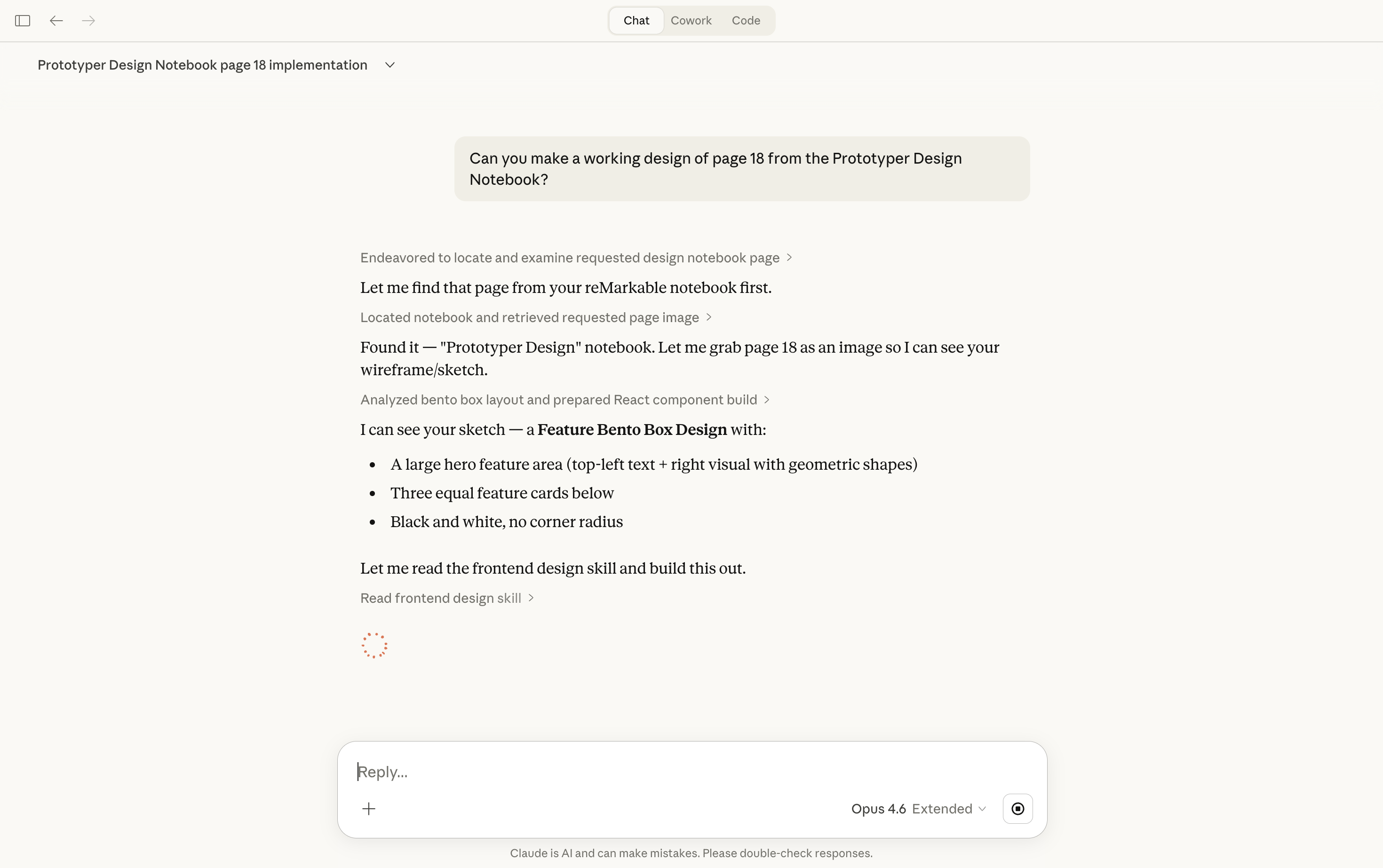
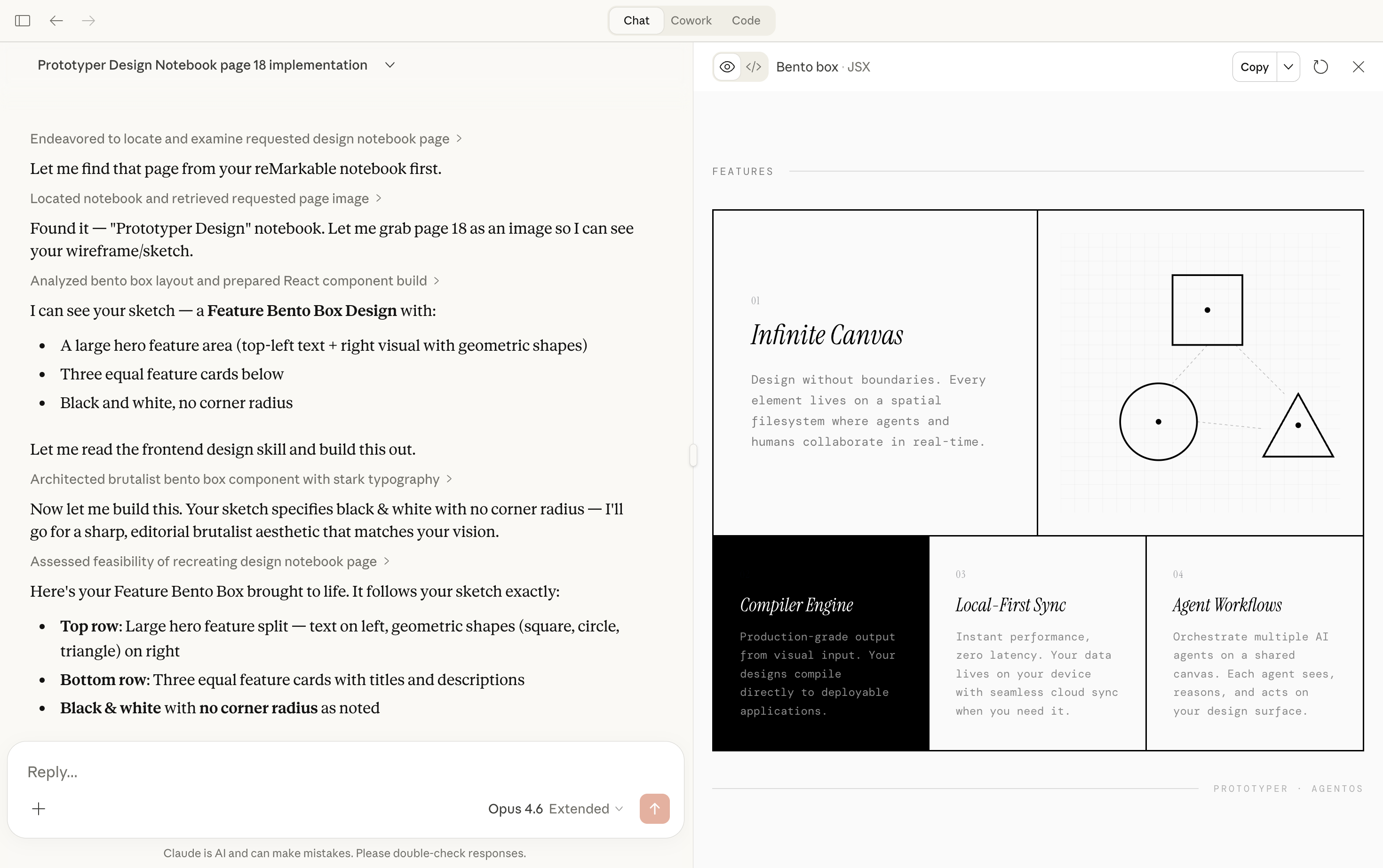
One design decision I want to highlight, because it ties back to the principle: the entire server is read-only. Every tool is idempotent.
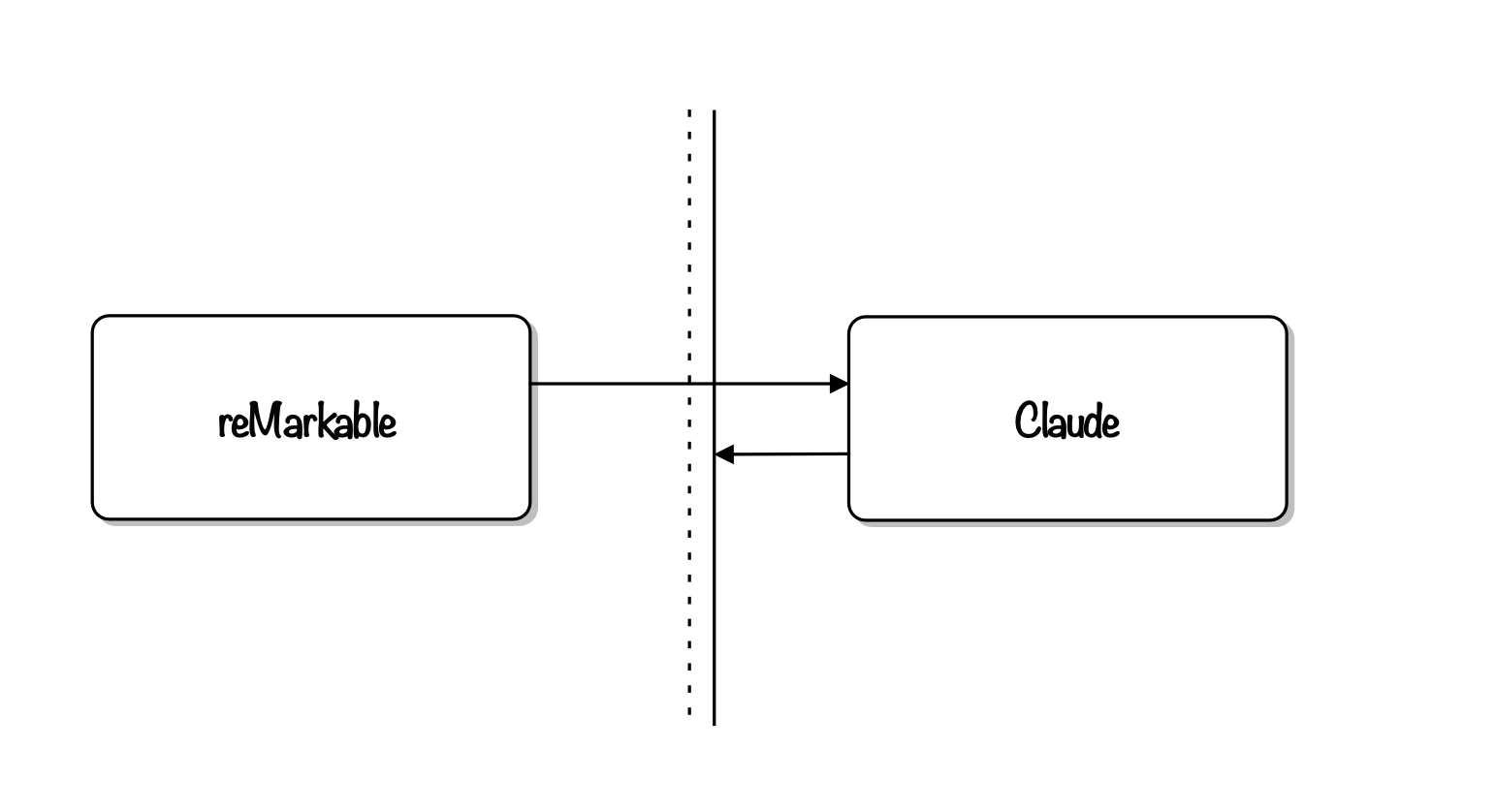
Claude can read my notes, search them, OCR them, but it cannot edit or delete anything on my tablet. The tablet is where I think. I don’t want AI anywhere near that process. The MCP server is the bridge from thinking to building, and it’s a one-way bridge on purpose.
The principle, fully earned
Think without AI. Build with AI.
I thought about this problem on my reMarkable, without assistance, until I understood what I actually needed. Then I built the solution in a weekend with AI, fast and messy and real. The thinking was slow and careful. The building was fast and aggressive. Different modes, different tools.
This is what “build with AI” means for me. Not “let AI do everything.” Not “avoid AI for purity.” You use your brain for the parts that need your brain. Use AI for the parts where leverage matters more than depth. And be honest about which is which, because the EEG study suggests we’re not naturally good at telling the difference.